
Background music
BGM pauses automatically
The backing track takes over while BGM pauses.
Singing Stream Savior
Prepare backing tracks, play songs, switch BGM, and update the queue.
Less to juggle, before and during your stream.
Free to use · No signup · v2.2.1.6
Start BGM. To switch vocal effects automatically, set singing and chat Profiles before playing the accompaniment.
The backing track takes over while BGM pauses.
The current song syncs to your OBS set list.
Switch to the singing effects you assigned.
Workflow illustration · Switching states does not play audio
Why I made this app
During my singing streams, I often forgot to turn BGM off before a song and back on afterward. I would also miss a set-list update or forget to enable my singing effects.
So I made Singing Stream Savior to handle those easy-to-miss steps. Now it can all happen automatically!
Then all I need to do is pick the backing track I want, sing, and chat. OuOb
Before you go live
Separate audio you have the right to process into vocals and accompaniment, with an option to retain backing vocals. Add the result directly to your library to reduce conversion and file-organizing steps. Supports local audio files and YouTube links.
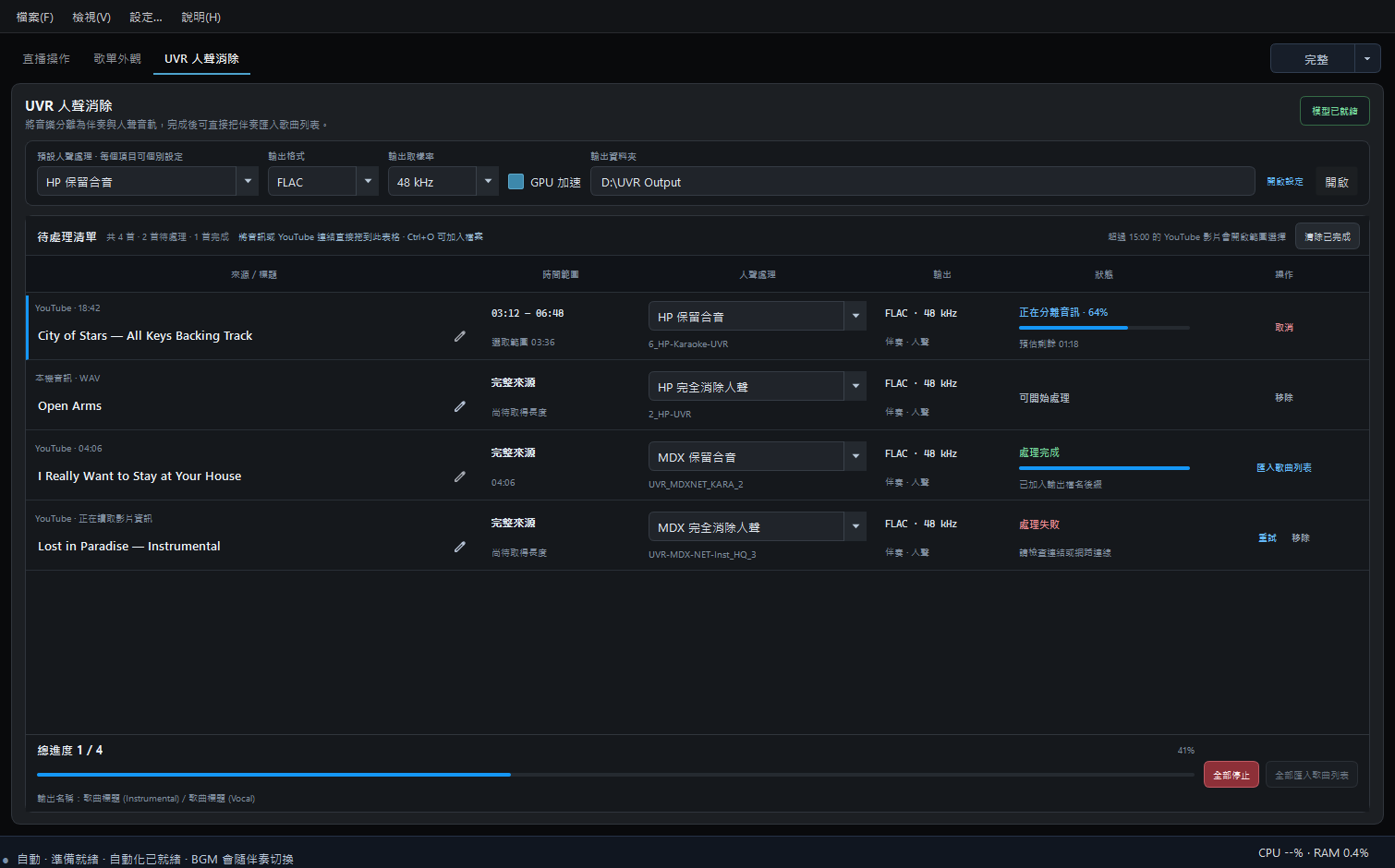
UVR workspace · Click to enlargeSet up UVR vocal removal →
Import common audio formats directly, with less need to convert files.
Import video or playlist links. Download YouTube songs in the current project from the main window as MP3 at 320 kbps by default, or choose WAV. Convert existing downloads locally while keeping the originals.
For streamers, VTubers and Vsingers: OBS setlist overlays, live lyrics and singing vocal effects in one Windows app. Fewer manual steps while you sing and chat.
Bring together supported local audio formats and YouTube sources, with speed and key adjustments to suit your pace and vocal range.
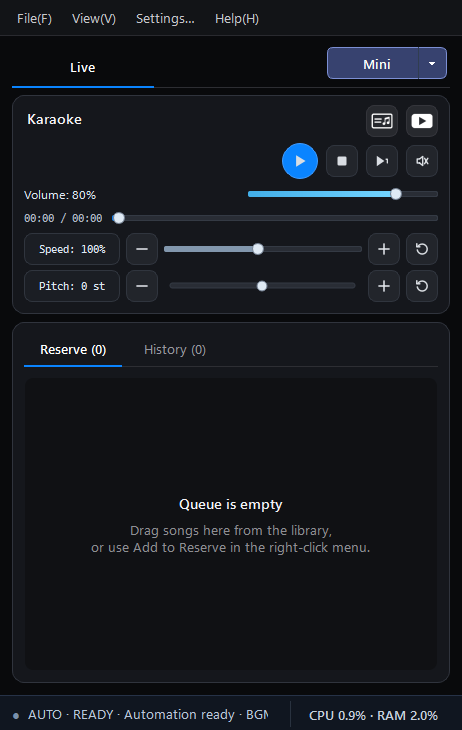
Playback controls · Click to enlargeAdjust track playback →
Compare nine animated lyric styles with motion previews inside their cards. Move and resize the lyric layout directly in the preview and see OBS update as you drag. The independent Lyrics window is available for reading and practice.
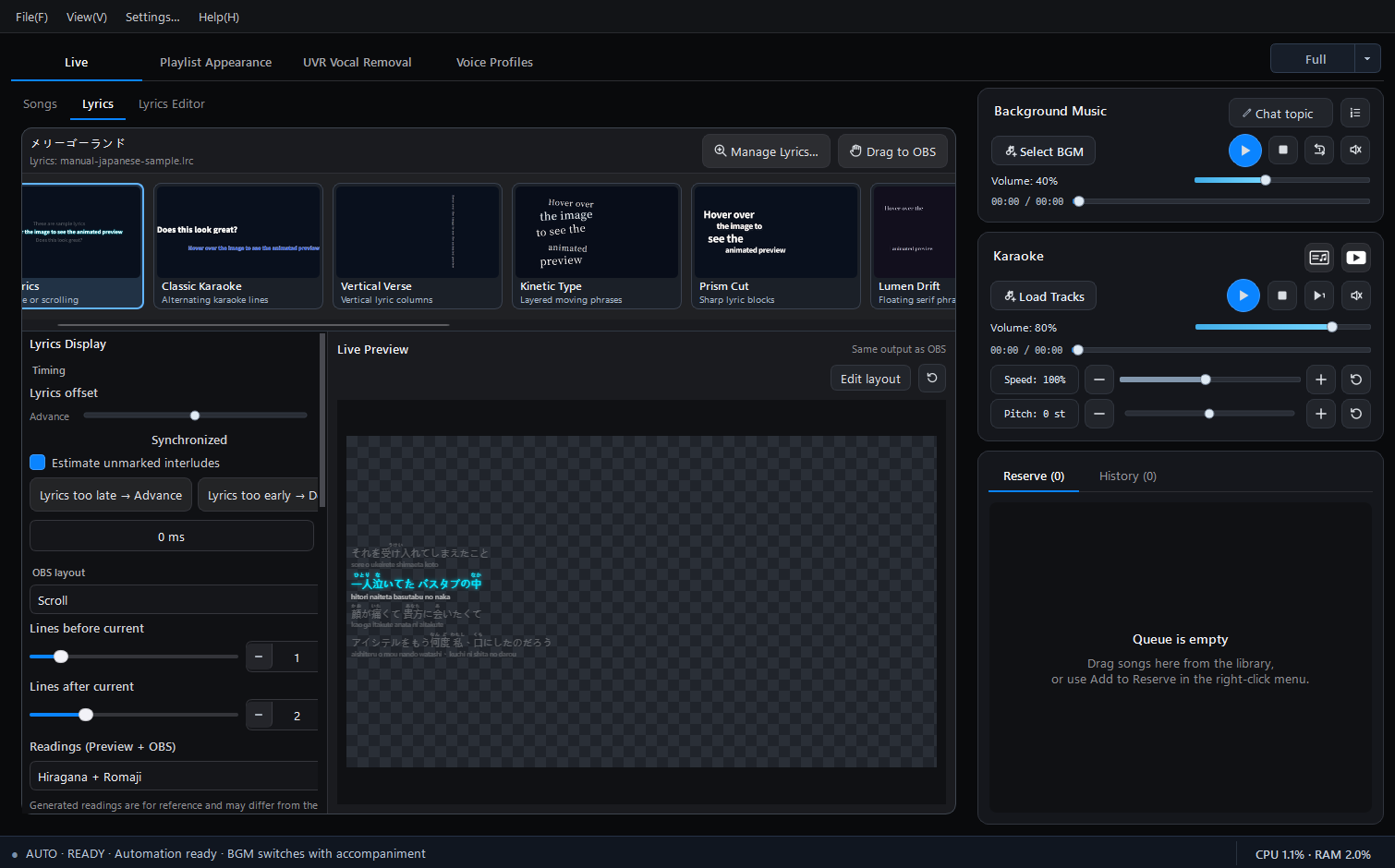
Synced lyrics · Click to enlargeSet up live lyrics →
Build an effects chain with built-in processors and VST3. Set the voice you want for chat and each song.
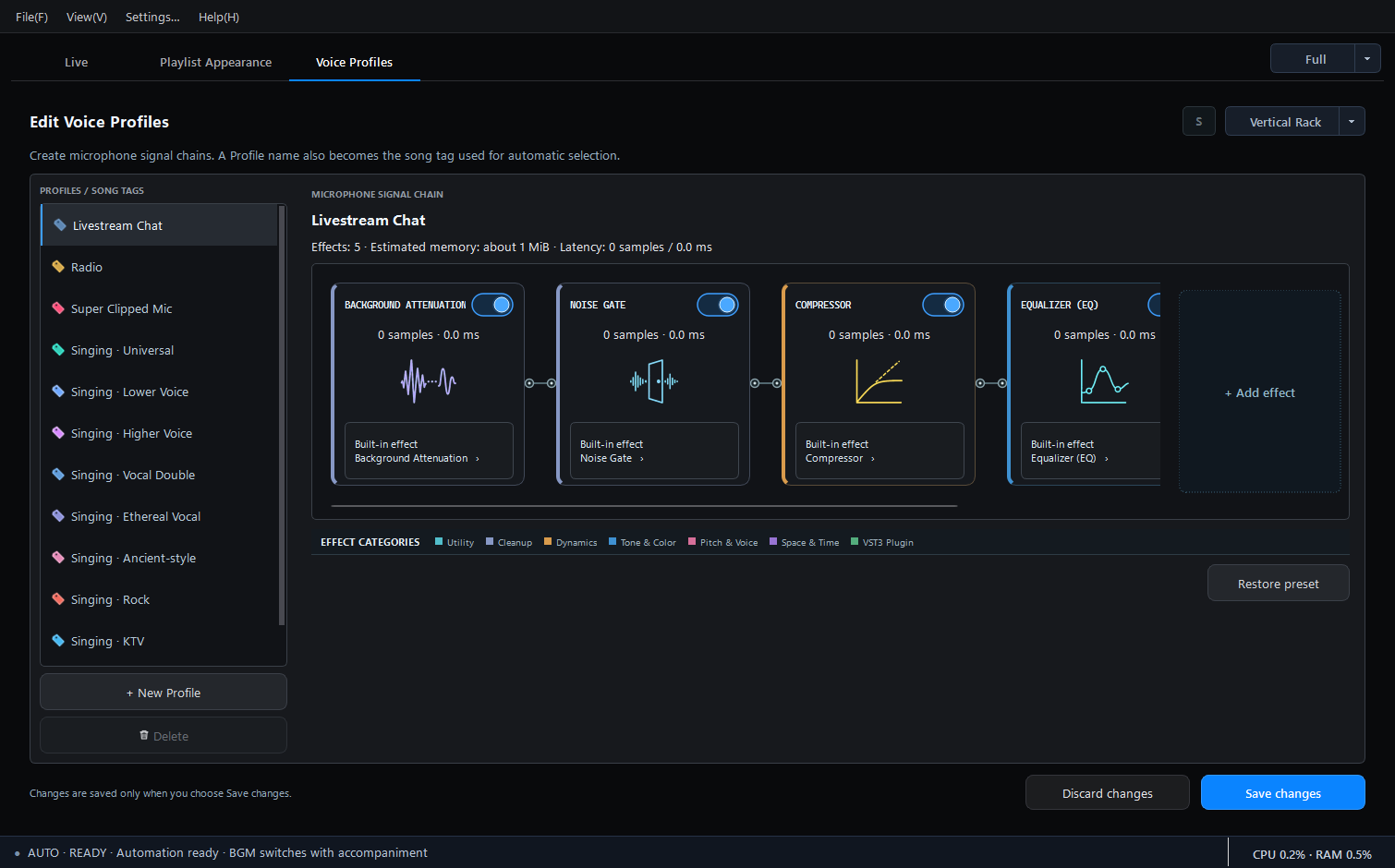
Vocal Profiles · Click to enlargeSet up vocal effects →
What your audience sees
Compare playlist themes with animated cards and Auto demo, then move and resize the layout in the preview. Existing playlist and lyric sources in OBS update as you edit, so you can arrange them around your stream background.
Set up OBS setlists and themes →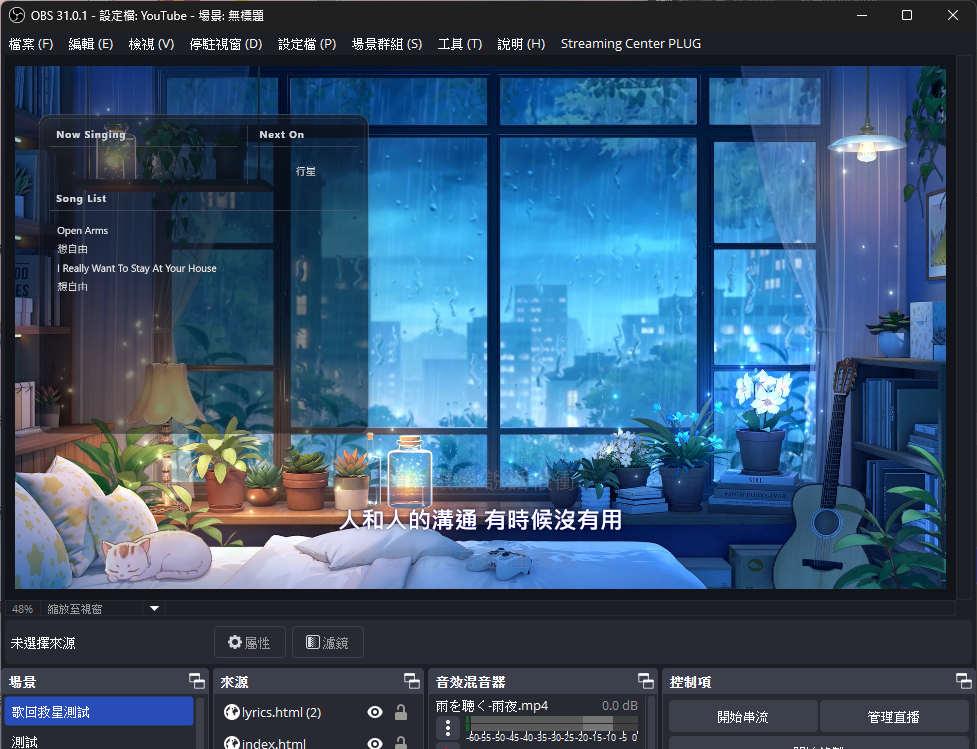
Two years ago, I suddenly got the idea to make some software to solve a problem I was having with my singing livestreams, so I tried building a simple player that could automatically switch between background music and instrumentals.
Later, I added a feature that automatically displayed the song list. I figured the software was at least pretty useful for me, so I released it for my friends to use.
A little while ago, I realized that quite a few friends had been quietly using it. I also received lots of compliments and got a real sense of accomplishment. I was absolutely thrilled! I love being praised!
Before I knew it, I kept adding more and more features, making it more and more complete. I hope I can get even more feedback (⁎⁍̴̛ᴗ⁍̴̛⁎)‼
Check your backing track, BGM, lyrics and OBS output before going live.
Ask questions, report issues, and share ideas with the community. Join the Discord community